Paint App: AR Drawing Trace
QUYEN NGUYEN
4.7
Détails de la Version
| Pays de l'Éditeur | FR |
| Date de Sortie dans le Pays | 2024-12-03 |
| Catégories | Graphics & Design |
| Pays / Régions | FR |
| Site Web du Développeur | QUYEN NGUYEN |
| URL de Support | QUYEN NGUYEN |
| Évaluation du Contenu | 4+ |
“AR Drawing: Sketch & Paint
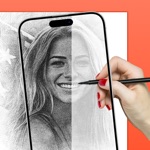
AR Drawing: Sketch & Paint is a creative application that lets you explore your artistic potential through augmented reality (AR) technology. Packed with advanced features, this app makes it easy to sketch, color, and create unique works of art.
Key Features:
Draw with AR:
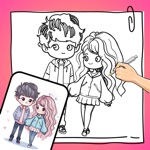
Transform images or text into sketches, projecting them directly onto real surfaces for you to trace and replicate.
Ideal for beginners, offering simple guided frames to help you get started.
Diverse Drawing Tools:
Brushes, pencils, erasers, and customizable options to bring your ideas to life in detail.
A variety of visual effects to enhance your artwork.
Photo-to-Sketch Conversion:
Upload photos from your gallery and turn them into detailed sketches in seconds.
Creative Coloring:
A rich library of templates for you to pick and color.
Custom color selection to match your personal style.
Record and Share Your Creations:
Record videos or capture snapshots of your creative process.
Share directly to social media or save them as keepsakes.
Intuitive Tutorials:
Step-by-step video guides to help you get familiar with the app.
AI Image Generation:
Enter a description or idea, and the app uses AI to generate unique sketch-style images based on your input.
Perfect for inspiration, drawing references, or standalone art creation.
Who Is This App For?
Art enthusiasts and sketching lovers.
Beginners looking to learn drawing techniques, from basic to advanced.
Parents and kids exploring creativity together.
Those seeking modern tools to realize artistic ideas.
Why Choose AR Drawing: Sketch & Paint?
Unique interactive augmented reality experience.
User-friendly tools suitable for all ages and skill levels.
Sparks creativity and brings joy to the art of drawing.
Download AR Drawing: Sketch & Paint now and embark on your artistic journey today!
Getting Started with AR Sketch Master – Easy Trace Drawing
1. Select an image from your personal gallery or the app’s built-in art collection
2. Set your phone on a stable surface or tripod to keep it steady
3. Use AR technology to trace over the image and bring your drawing to life!
Privacy Policy: https://windymob.com/product/AR-Sketch-Art-Sketch-Paint-10/privacyPolicy
Terms of Use: https://windymob.com/product/AR-Sketch-Art-Sketch-Paint-10/terms”
Évaluation Moyenne
63
Répartition des Évaluations
Avis Sélectionnés
Par Kenza.2906
2025-08-24
Version 1.2.4
feature_requestsdesignJ’aime trop se jeu ils est super vraiment mes ce qui me plaît pas c’est que dans tous les dessin il y a un problème qui m’énerve c’est que a chaque fois que dessine il y a écrit pro est du coup si vous pouvez l’enlever stp sa ne fe feras plaisir 🥹😘🥰🎀
Par Loulou la best 👍
2025-04-24
Version 1.1.2
performance_and_bugsCe jeu est vraiment top 👍!!! Les dessins sont magnifiques 🤩 !!❤️ Mais le truc c’est que IL Y A BEAUCOUP TROP DE DESSINS QUI SONT EN MODE PREMIUM 😡!!!!!!!!!!!!!! Et moi je ne veux pas payer une appli que j’utilise 1 fois par semaine ! Autre truc : il n’y a pas le mode français ! Du coup j’ai mis en mode anglais mais je suis un peu nulle en anglais 😅Et un dernier détail : il y’a un petit bug quand je cherche une catégorie, il y a des carrés blancs qui s’affiche ! Merci de ce bug SVP🙏🏻 . Sinon ( je sais que j’arrête pas de critiquer depuis tout à l’heure) le jeu est giga COOL !!!!! Love ❤️❤️❤️❤️❤️❤️❤️
Par Maëllanus
2025-08-25
Version 1.2.4
designTrès beau
Captures d'Écran


AD
AD
Applications Populaires